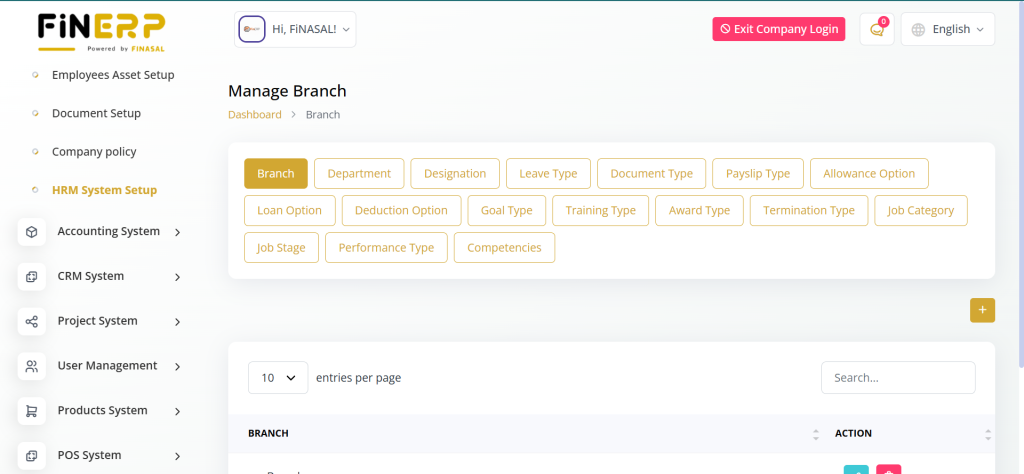
The HRM System in Fin ERP streamlines all human resource management activities within the platform. It allows administrators to handle employee records, attendance, payroll, and leave management efficiently. The system ensures smooth HR operations and improves workforce productivity through automation and centralized control.
Employee Setup
The HRM System in FinERP helps manage employee information efficiently.
It allows admins to organize, update, and monitor employee records with ease.
You can also import or export employee data for smooth operations.
FinERP ensures all employee details are centralized and easily accessible.
Features:
View and manage the list of employees.
Import and export employee data.
Create employees by adding personal, company, and bank details along with documents.

Payroll Setup
Set Salary & Payslip Management in FinERP
FinERP allows smooth management of employee salaries and payslips.
Admins can view salary details, update them, and generate payslips easily.
The system ensures accuracy and transparency in employee payments.
It simplifies payroll processing for HR teams efficiently.
Features:
Set Salary: View and manage the list of employee salaries.
Payslip: View, pay, or edit employee payslips as needed.


Leave Management Setup
The Leave Management module in FinERP allows HR teams and managers to efficiently track and manage employee leave requests. It provides a centralized system where all types of leaves — such as annual, sick, and casual leaves — can be viewed, approved, or declined easily.
Admins can view a complete list of leave requests submitted by users, along with their status and duration. This helps maintain transparency and ensures proper attendance tracking within the organization. The system also supports leave balance tracking, making it easier for employees to plan their leaves responsibly.
Key Features:
Manage Employee Leaves: Approve, decline, or modify leave requests directly from the dashboard.
View Leave List: Access all submitted leave requests with detailed information.
Transparency: Maintain clear records of leave history for employees.
Efficiency: Streamline HR processes by automating leave approvals and tracking.

Attendance
Mark Attendance :
- View individual employee attendance.
Bulk Attendance :
- View attendance for various departments and branches.


Performance Setup
Indicators :
- View a list of performance indicators.
Appraisals :
- View a list of employee appraisals.
Goal Tracking :
- View goals and their progress.

Training System
The Training Management module in FinERP is designed to help organizations enhance employee skills and track professional development activities. It provides a complete overview of training sessions, types, and assigned trainers to ensure smooth management of employee learning programs.
Admins can view a list of all training types with relevant details such as topic, duration, and department. Additionally, they can view and manage a list of trainers, including their expertise and assigned sessions. This ensures the right trainers are matched with the right training programs for better results.
Key Features:
Training List: View and manage all available training types with details.
Trainer Management: Access and manage the list of trainers with their expertise.
Skill Development: Improve employee performance through structured training programs.
Organized Tracking: Keep records of all training sessions and participants efficiently.

Recruitment Setup
Jobs :
- View total, active, and inactive jobs.
- View a list of jobs.
Job Create :
- Create jobs with the required details.
Job Application :
- View applied, phone screen, rejected, and hired jobs.
Job Candidate :
- View a list of job candidates.
Custom Questions :
- Add, edit, or delete custom questions.
Interview Schedule :
- View scheduled interviews.
Career :
- View the new job openings template.

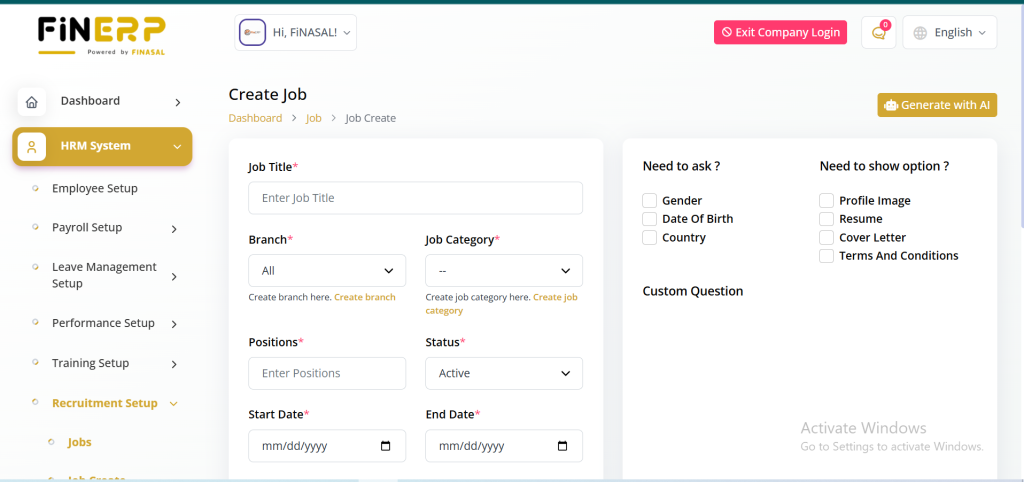
The Job Creation feature in FinERP allows administrators to efficiently post and manage job openings within the organization. This module helps HR teams streamline the recruitment process by providing a structured way to define roles, responsibilities, and requirements for each position.
Admins can easily create jobs with all necessary details, including job title, description, department, qualifications, and experience level. This ensures transparency and clarity for applicants and helps attract the right talent for the organization.
Key Features:
Create Jobs: Add new job listings with complete details.
Organized Structure: Define roles, departments, and required qualifications.
Efficient Hiring: Simplify recruitment and job posting management.
Centralized Access: Manage all job openings from a single dashboard.
Job Application Management in FinERP
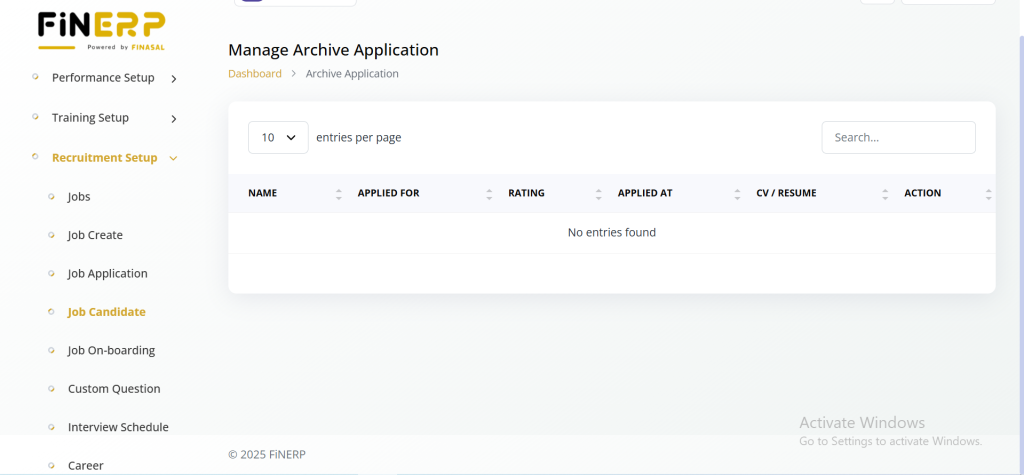
The Job Application module in FinERP helps administrators and HR teams efficiently track and manage the entire recruitment process. It provides a clear overview of all job applications and their current status, ensuring smooth and transparent hiring workflows.
Admins can easily view job applications categorized by stages such as applied, phone screened, rejected, and hired. This organized structure allows recruiters to monitor candidate progress, make informed decisions, and maintain proper hiring records.
Key Features:
Application Tracking: View all job applications in one place.
Status Management: Categorize candidates as applied, phone screened, rejected, or hired.
Streamlined Workflow: Simplify the recruitment process for HR teams.
Improved Decision-Making: Track progress and manage candidate evaluations efficiently.

The Job Candidate module in FinERP allows administrators and HR teams to effectively manage all applicants in one place. It provides an organized list of candidates who have applied for different job positions, making it easier to review and shortlist potential hires.
Admins can view a complete list of job candidates along with their details, such as applied position, qualifications, and application status. This helps streamline the recruitment process and ensures that every candidate is properly tracked and evaluated.
Key Features:
Candidate Overview: View and manage all job candidates in a single dashboard.
Detailed Information: Access candidate details like applied job, qualifications, and experience.
Efficient Hiring: Simplify shortlisting and recruitment decisions.
Centralized Management: Keep all applicant data organized and easily accessible.
Custom Questions Management in FinERP
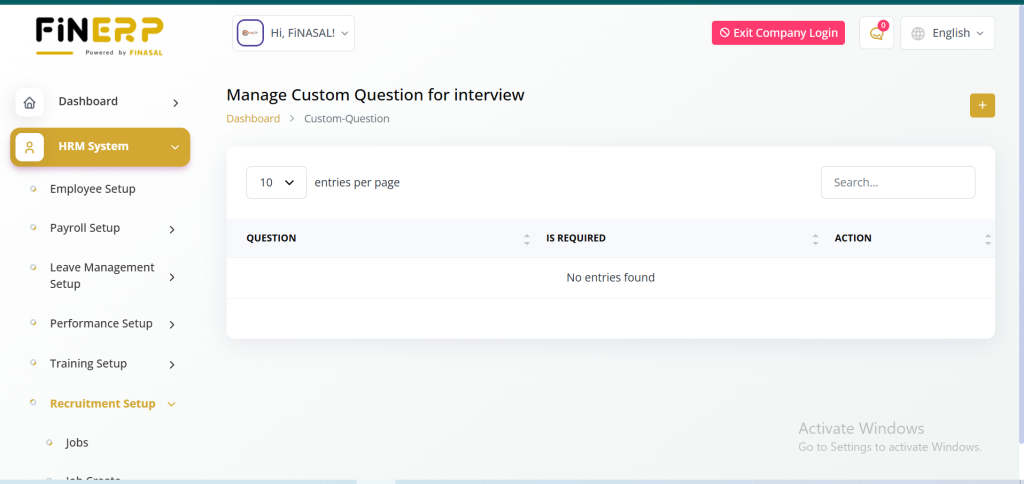
The Custom Questions feature in FinERP allows administrators and HR teams to create personalized interview or application questions tailored to specific job roles. This helps in assessing candidates more effectively based on job requirements and organizational needs.
Admins can easily add, edit, or delete custom questions within the system to ensure that the hiring process remains flexible and aligned with current recruitment goals. It enhances the candidate evaluation process by allowing more relevant and role-specific queries.
Key Features:
Add Questions: Create custom questions for interviews or applications.
Edit or Delete: Modify or remove questions as needed.
Personalized Evaluation: Tailor questions according to job roles.
Improved Recruitment: Enhance the hiring process with relevant assessments.
Career Management in FinERP
The Career module in FinERP is designed to display and manage job openings within the organization. It provides an easy way for administrators to showcase available positions to potential candidates through a structured and visually appealing interface.
Admins can view the new job openings template, which outlines all active job listings along with essential details such as title, department, and application link. This helps in maintaining a professional career page and attracting qualified applicants efficiently.
Key Features:
Job Openings Template: View and manage the template for displaying new job listings.
Organized Layout: Present available positions in a clear and structured format.
Enhanced Recruitment: Attract the right candidates with a well-designed career page.
Centralized Management: Control and update all job openings from one platform.
HR Admin Setup
Award :
- View and add awards.
Transfer :
- View the transfer list of employees.
Resignation :
- View employees who have applied for resignation.
Promotion :
- View promoted employees and their new designations.
Complaints :
- View employee complaints.
Warnings :
- View warnings given to employees.
Termination :
- View a list of terminated employees.
Holidays :
- View a list of holidays.
Award Management in FinERP
The Award Management module in FinERP enables administrators and HR teams to recognize and appreciate employee achievements effectively. It provides a centralized system to record, view, and manage awards, fostering a culture of motivation and recognition within the organization.
Admins can easily view existing awards and add new ones by specifying details such as award title, recipient name, date, and reason for recognition. This helps maintain a transparent record of employee accomplishments and boosts workplace morale.
Key Features:
View Awards: Access a complete list of employee awards.
Add Awards: Create new awards with detailed information.
Employee Motivation: Encourage performance through recognition.
Centralized Records: Maintain organized award history within the system.

Employee Transfer Management in FinERP
The Transfer Management module in FinERP helps administrators efficiently handle employee transfers between departments, branches, or locations. It ensures smooth internal movement while maintaining accurate and up-to-date employee records.
Admins can view the complete list of employee transfers, including details such as employee name, previous and new departments, transfer date, and reason. This feature promotes transparency and helps HR teams monitor organizational changes effectively.
Key Features:
View Transfer List: Access all employee transfer records in one place.
Detailed Tracking: Monitor transfer details like departments and dates.
Efficient Management: Simplify internal transfer processes.
Organizational Transparency: Maintain clarity in workforce movement and structure.

Employee Resignation Management in FinERP
The Resignation Management module in FinERP allows administrators and HR teams to efficiently manage employee resignation requests. It provides a structured system to review, track, and process resignations while ensuring smooth offboarding procedures.
Admins can view a list of employees who have applied for resignation, along with details such as resignation date, reason, and approval status. This helps HR maintain proper documentation and plan workforce adjustments effectively.
Key Features:
View Resignations: Access all employee resignation requests in one place.
Track Details: Monitor resignation dates, reasons, and approval stages.
Streamlined Offboarding: Simplify the exit process for departing employees.
Accurate Records: Maintain organized and up-to-date resignation data.

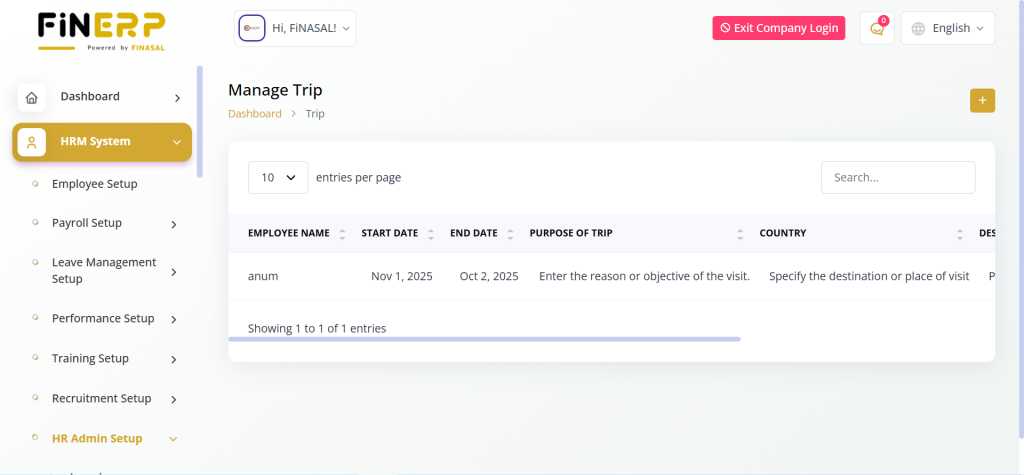
Trip Management in FinERP
The Trip Management module in FinERP helps administrators efficiently manage employee travel details. It allows recording the purpose of the trip, destination country, and trip description for official visits.
Admins can easily track employee travel activities and maintain accurate records for approvals and reimbursements.
Key Features:
Purpose of Trip: Enter the reason for the visit.
Country: Specify the destination or place of travel.
Description: Add relevant trip details and notes.
Efficient Tracking: Manage and monitor all business trips in one place.
Promotion Management in FinERP
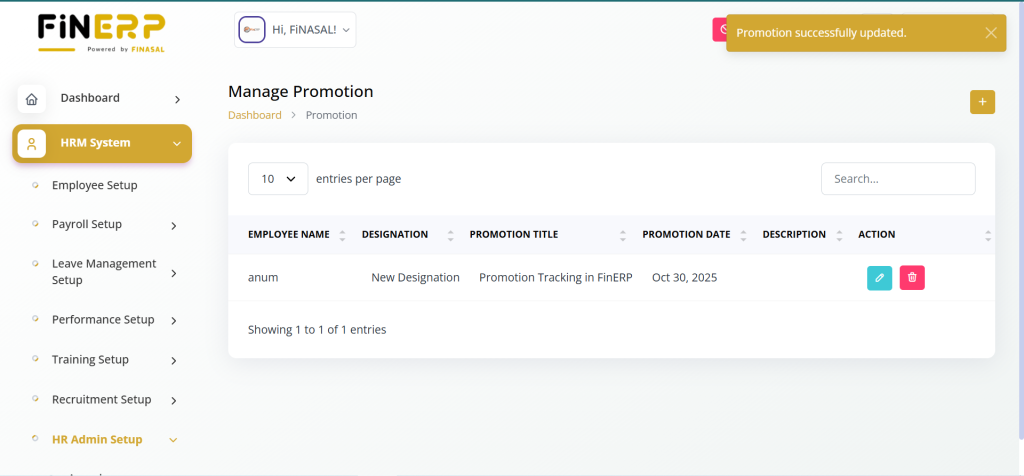
The Promotion Management module in FinERP allows administrators and HR teams to manage and record employee promotions efficiently. It helps maintain transparency by keeping a clear record of role advancements within the organization.
Admins can view the list of promoted employees along with their new designations, departments, and promotion dates. This ensures proper documentation of career growth and helps in performance tracking and salary adjustments.
Key Features:
View Promotions: Access a complete list of promoted employees.
Track Designations: View new roles and positions after promotion.
Transparent Records: Maintain accurate promotion history.
Employee Growth: Recognize and document career advancements.
Complaint Management in FinERP
The Complaint Management module in FinERP allows administrators and HR teams to efficiently handle and monitor employee complaints. It ensures that all grievances are properly recorded, tracked, and resolved to maintain a healthy workplace environment.
Admins can view a list of employee complaints along with details such as complaint type, description, date, and status. This helps in addressing issues promptly and ensuring fairness within the organization.
Key Features:
View Complaints: Access all employee complaints in one place.
Track Status: Monitor progress and resolution of each complaint.
Maintain Transparency: Ensure fair handling of employee concerns.
Improve Workplace Environment: Promote a positive and supportive culture.

Employee Warning Management in FinERP
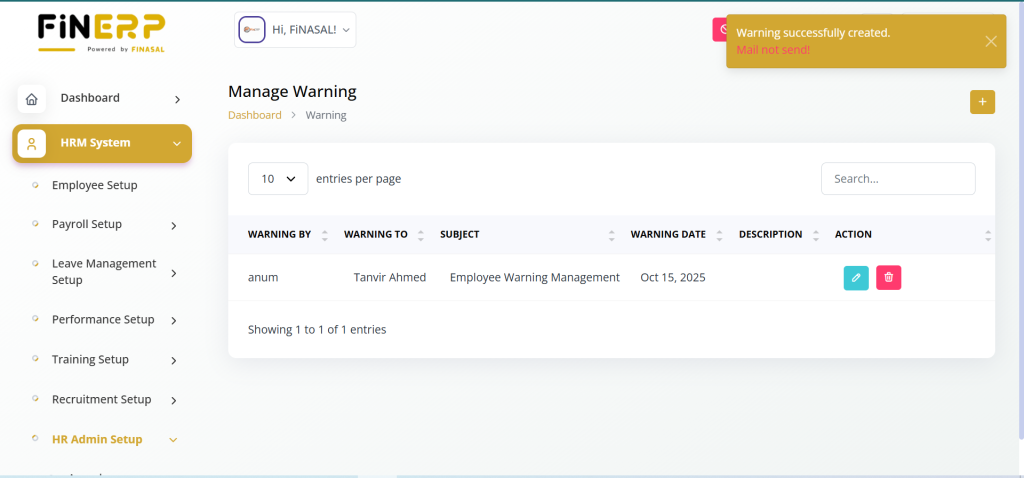
The Warning Management module in FinERP allows administrators and HR teams to record and monitor disciplinary warnings issued to employees. It helps maintain accountability and ensures that workplace policies are properly enforced.
Admins can view a list of warnings given to employees, along with details such as warning reason, date, and issued by. This module promotes transparency and helps track behavioral or performance-related issues effectively.
Key Features:
View Warnings: Access all employee warnings in one place.
Detailed Tracking: Record reasons, dates, and responsible managers.
Policy Enforcement: Ensure consistent handling of rule violations.
Transparent Records: Maintain a clear warning history for reference.
Employee Termination Management in FinERP
The Termination Management module in FinERP allows administrators and HR teams to manage and document employee terminations in an organized manner. It ensures that all termination details are properly recorded for compliance and future reference.
Admins can view a list of terminated employees, including information such as employee name, termination date, reason, and approving authority. This helps maintain transparency and accurate employee exit records within the organization.
Key Features:
View Terminations: Access a complete list of terminated employees.
Detailed Records: Track reasons, dates, and approval details.
Compliance Management: Maintain proper documentation for audits.
Transparent Offboarding: Ensure fair and organized employee exits.

Holiday Management in FinERP
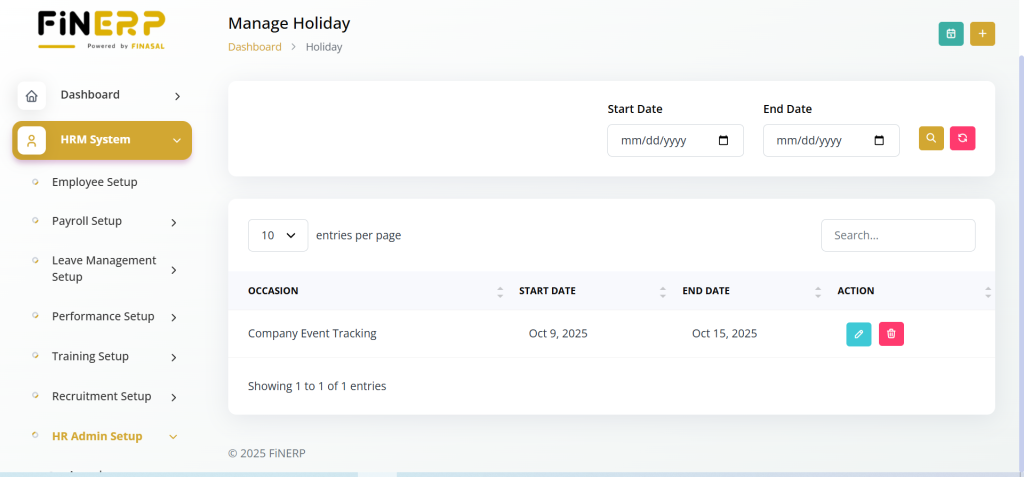
The Holiday Management module in FinERP allows administrators to efficiently manage and track all company holidays throughout the year. It helps maintain transparency and ensures that employees are informed about official off days in advance.
Admins can view a complete list of holidays, including dates, titles, and descriptions. This module supports better planning and scheduling for both employees and management.
Key Features:
View Holidays: Access a detailed list of all company holidays.
Organized Calendar: Keep track of upcoming official holidays.
Efficient Planning: Help teams plan projects and leaves accordingly.
Transparent Communication: Keep all employees informed about off days.
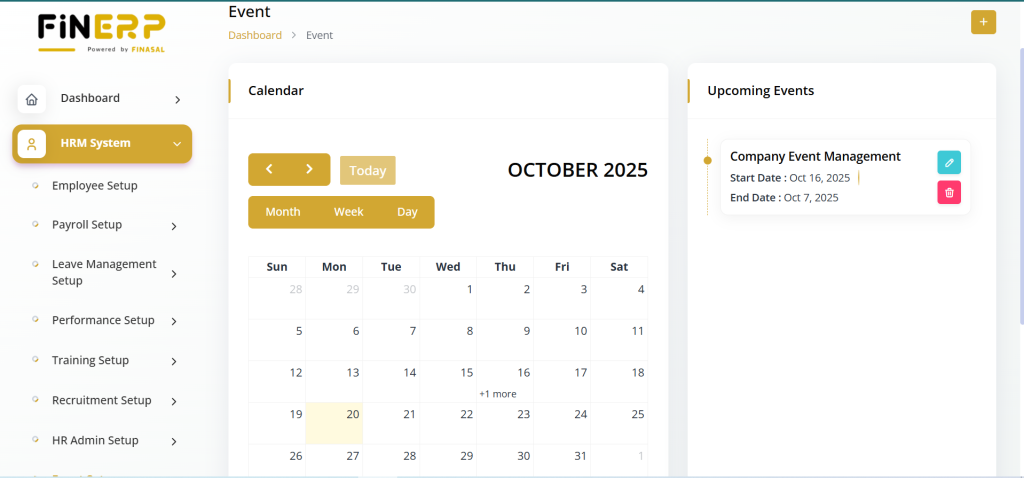
Event & Meeting Management in FinERP
The Event & Meeting Management module in FinERP helps administrators and employees stay organized by tracking upcoming events and scheduled meetings. It ensures smooth coordination across departments and better time management within the organization.
Admins can view a calendar of upcoming events to stay informed about company activities, celebrations, or important dates. Additionally, they can view a list of meetings to manage schedules, agendas, and participants efficiently.
Key Features:
Calendar of Events: View and manage all upcoming company events.
Meetings List: Access scheduled meetings with relevant details.
Improved Coordination: Keep teams aligned and updated.
Efficient Planning: Organize events and meetings from a single dashboard.

Employee Asset Management
The Employee Asset Management module in FinERP allows administrators to assign, track, and manage assets provided to employees, such as laptops, mobile devices, or office equipment. It ensures accountability and helps maintain a clear record of company-owned items.
Admins can set up and manage employee assets by defining asset details, assignment dates, and return status. This helps in preventing loss, optimizing asset usage, and maintaining organized records.
Key Features:
Asset Setup: Add and assign assets to employees.
Track Assets: Monitor asset usage and return status.
Maintain Records: Keep detailed information on company assets.
Ensure Accountability: Improve management of organizational resources.

Document Setup
The Employee Document Management module in FinERP enables administrators to securely store, organize, and manage employee-related documents. It ensures that all important records, such as ID proofs, contracts, and certificates, are easily accessible and well-maintained.
Admins can manage employee documents by uploading, updating, or removing files as needed. This helps maintain compliance, streamline HR operations, and ensure data security.
Key Features:
Centralized Storage: Keep all employee documents in one secure place.
Easy Management: Upload, update, or delete documents efficiently.
Data Security: Ensure confidentiality of sensitive employee files.
Compliance Support: Maintain proper documentation for audits and HR policies.

company-policy
The Company Policy Management module in FinERP allows administrators and HR teams to create, update, and manage official company policies efficiently. It ensures that all employees have access to the latest organizational guidelines and procedures.
Admins can create new company policies by defining rules, terms, and regulations that promote discipline and maintain consistency across the organization. This helps strengthen transparency and supports a well-structured work environment.
Key Features:
Create Policies: Add new company rules and guidelines.
Update or Manage: Edit and maintain existing policies easily.
Ensure Compliance: Keep the organization aligned with internal standards.
Centralized Access: Provide employees with easy access to official policies.

HRM System Setup
Branches :
- Add and edit branches.
Department :
- Create and edit new departments for effective organizational structuring.
Designation :
- Create new designations to define employee roles within the organization.
Leave Type :
- Add new leave types to categorize and manage employee leave policies.
Document Type :
- Add new document types to streamline document management within the HR system.
Payslip :
- Add new payslip types to customize and tailor the payslip format as needed.
Allowance Option :
- Add allowance options to specify additional compensations for employees.
Loan :
- Add new loan options to manage employee loan programs.
Deduction Option :
- Add new deduction options for managing various employee deductions.
Goal Type :
- Add new goal types to categorize and track employee performance goals.
Training Type :
- Add new training types to categorize and manage employee training programs.
Award Type :
- Add new award types to recognize and acknowledge employee achievements.
Termination Type :
- Add termination types to categorize and manage employee termination processes.
Job Category :
- Add new job categories to classify different types of job roles within the organization.
Job Stage :
- Add new job stages to categorize and track the progress of various job processes.
Performance Type :
- Add new performance types to categorize and evaluate different aspects of employee performance.
Competencies :
- Add new competencies to identify and evaluate key skills and qualities required for job roles.
The HRM system in ERPGo SaaS offers a comprehensive suite of tools to streamline employee management, payroll, leave, attendance, performance evaluation, training, recruitment, HR administration, events, and more, providing a centralized hub for efficient human resource management.