
Banking
Account Page :
This page serves as a centralized hub to view and manage various accounts, providing essential details such as the chart of accounts, account name, bank name, account number, current balance, contact number, and bank branch information.
Transfer Page :
Here, users can access and review the list of transfers between different accounts, ensuring transparent and organized financial record-keeping.

Sales
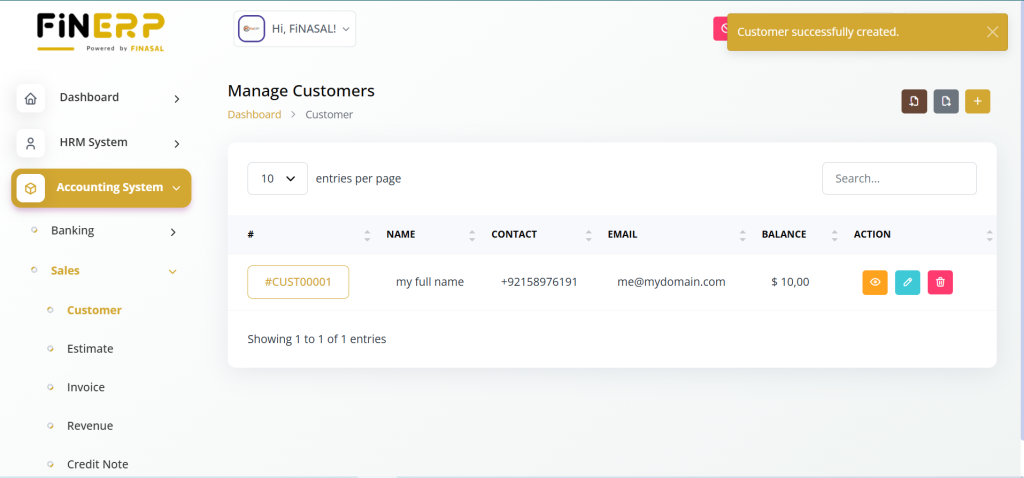
Customer Page :
This section facilitates the efficient management of customer data, allowing users to view, import, and export customer lists, fostering seamless communication and relationship management.
Estimates Page :
Users can create, view, and export estimates, streamlining the quotation process and providing a clear overview of potential sales transactions.
Invoice Page :
This page offers a comprehensive view of invoices, enabling users to export existing invoices and create new ones, ensuring accurate and timely billing.
Revenue Page :
Users can track and manage revenues and credit notes, fostering transparency in financial transactions and facilitating accurate reporting.
Customer Management in FinERP
The Customer Management module in FinERP provides a centralized platform to efficiently handle all customer-related data. It enables users to view, import, and export customer lists, ensuring smooth communication and stronger business relationships.
Admins can easily maintain up-to-date customer records, track interactions, and manage essential details that support better service delivery and long-term engagement.
Key Features:
View Customers: Access and manage a complete list of customers.
Import/Export Data: Easily upload or download customer records.
Efficient Communication: Maintain clear and organized client information.
Relationship Management: Strengthen customer connections through accurate data handling.
Estimate Management in FinERP
The Estimate Management module in FinERP enables users to efficiently handle sales quotations and potential deals. It simplifies the process of creating, viewing, and exporting estimates, ensuring accuracy and professionalism in client communications.
Admins and users can generate detailed estimates for products or services, helping clients understand pricing before confirming orders. This improves transparency and supports smoother sales operations.
Key Features:
Create Estimates: Generate professional sales quotations easily.
View Records: Access all existing estimates in one place.
Export Estimates: Download or share estimates in preferred formats.
Streamlined Sales Process: Manage potential sales efficiently and accurately.

Invoice Page:
This page provides a complete overview of all invoices, allowing users to create new invoices and export existing ones. It ensures efficient, accurate, and timely billing for smooth financial operations.

Revenue Page:
Allows users to easily record and manage all revenue transactions.
Helps in tracking income sources and credit notes efficiently.
Ensures transparency and accuracy in financial operations.
Provides a clear overview of revenue performance and trends.
Supports better financial reporting and informed decision-making.

Purchases
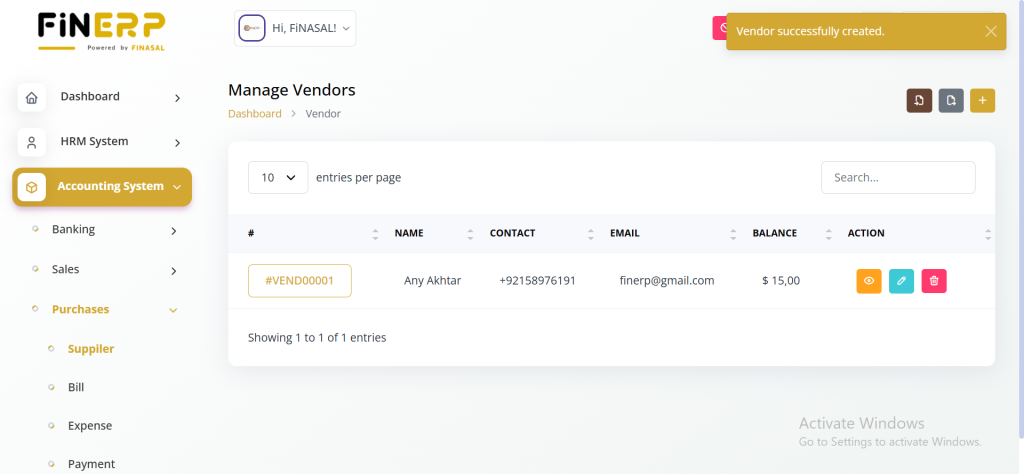
Suppliers Page :
Manage supplier relationships efficiently by viewing and handling supplier lists, and importing and exporting data for enhanced supply chain management.
Bills Page :
This section allows users to view and export bills, providing insights into expenses and ensuring a systematic approach to managing financial obligations.
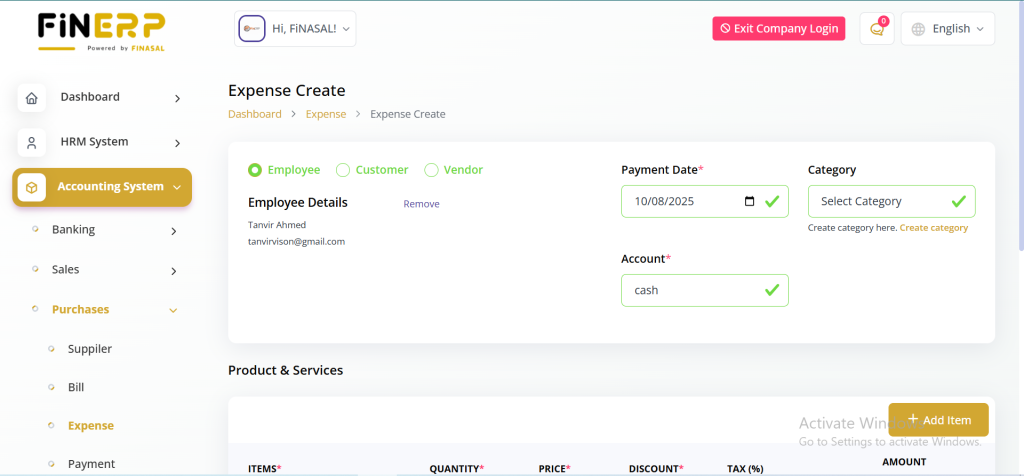
Expense Page :
Users can track and categorize various expenses efficiently, contributing to better financial planning and analysis.
Payment Page :
View and download payment receipts for a clear record of financial transactions.
Debit Notes Page :
Manage and track debit notes, ensuring accurate accounting for debits and credits.
Suppliers Page:
Enables users to view and manage supplier information efficiently.
Allows easy import and export of supplier data for record keeping.
Helps maintain strong supplier relationships and communication.
Supports better tracking of supplier performance and transactions.
Enhances overall supply chain management and coordination.
Bills Page:
Enables users to view all company bills in one place.
Allows exporting bills for reporting and record keeping.
Provides insights into company expenses and spending patterns.
Ensures better tracking of financial obligations.
Promotes a systematic approach to managing payments and budgets.

Expense Page:
Allows users to track and record all company expenses in one place.
Helps categorize expenses for better organization and clarity.
Supports monitoring of spending trends over time.
Aids in budgeting and cost-control strategies.
Enhances financial planning and detailed expense analysis.
Debit Notes Page:
Allows users to create and manage debit notes efficiently.
Provides a clear record of purchase returns or adjustments.
Helps maintain transparency in vendor transactions.
Ensures accurate reconciliation of accounts payable.
Supports exporting and reviewing debit note details easily.

Double-Entry
The Double Entry section in ERPGo SaaS is like a set of tools that helps you understand and manage your company’s money matters. Here’s how it works:
Chart of Accounts:
Organizes all financial accounts into clear categories for easy tracking.
Helps manage assets, liabilities, income, and expenses systematically.
Enables users to create main accounts and subaccounts as needed.
Simplifies financial reporting and analysis.
Ensures accuracy and consistency in accounting records.

Journal Account:
Acts as a detailed record of all daily financial transactions.
Tracks every debit and credit entry for transparency.
Ensures accurate bookkeeping for income and expenses.
Helps identify and correct accounting errors quickly.
Forms the foundation for preparing financial statements.

Ledger Summary :
This is a quick overview of all the entries in your diary (Journal Account). It helps you see the total amount of money involved in different activities.

Balance Sheet:
Provides a clear snapshot of your company’s financial position.
Displays total assets, liabilities, and owner’s equity.
Helps evaluate business stability and financial health.
Assists in understanding how resources are funded and utilized.
Serves as a key report for investors and financial planning.

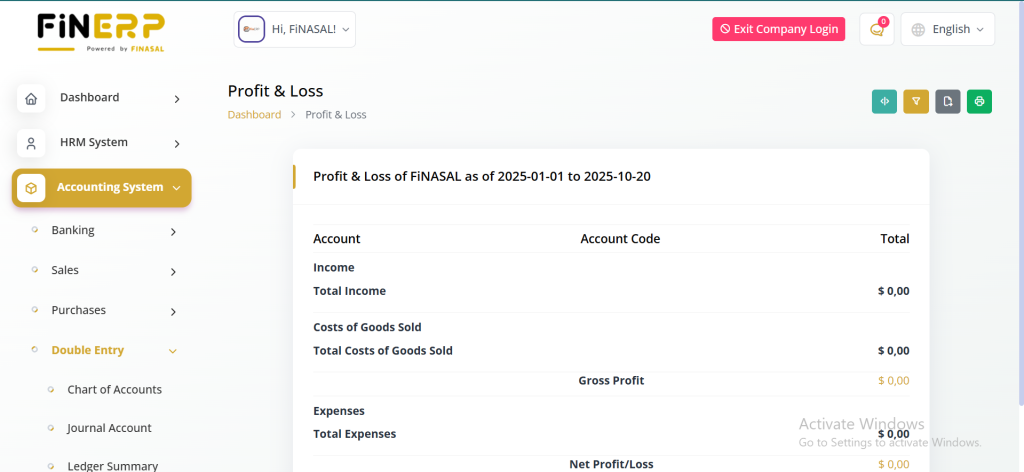
Profit and Loss:
Acts as a financial report card for your company.
Summarizes total income, expenses, and net profit or loss.
Helps identify areas of high cost or strong revenue.
Assists management in decision-making and budgeting.
Provides insight into business performance over a specific period.
Trial Balance :
Think of it as a double-check. It ensures all the numbers in your accounts add up correctly. It makes sure your financial puzzle pieces fit together accurately.

Budget-Planner
Helps users plan and monitor budgets efficiently.
Ensures optimal allocation of financial resources across departments or projects.
Tracks actual spending versus planned budgets.
Supports better financial control and forecasting.
Aids in strategic decision-making to maintain financial stability.

Financial-Goals
This section allows users to set, view, and track financial targets effectively. It provides insights into progress, supports better decision-making, and ensures efficient resource allocation to meet desired objectives.
Set and track key financial goals.
View detailed progress insights.
Improve financial planning and management.
Achieve targets through efficient resource use.

Accouning-Setup
This section enables users to configure and customize essential accounting parameters for their organization. It ensures that financial processes align with company policies and reporting needs for smooth operations.
Set up taxes, categories, and units.
Add and manage custom accounting fields.
Tailor the system to match organizational needs.
Ensure accurate and efficient financial management.

Print-Settings
Customize the print settings for proposals, invoices, and bills, allowing users to choose templates, colors, and logos, ensuring a professional and branded representation of financial documents.
The Accounting System in ERPGo SaaS is designed to offer a comprehensive suite of tools, fostering efficiency, transparency, and customization in financial management processes. From banking and sales to double-entry accounting and print settings, each feature contributes to a robust and user-friendly financial management experience.
